Saturday, January 1, 2011

Easily Size and Arrange Windows on Mac OS X

One idiosyncrasy of Mac OS X is that application windows can only be sized from their lower right corner, and Mac OS does not have any kind of "snap windows into place" feature similar to Windows 7.  At work I have the pleasure of working on a large 27" iMac screen, so I frequently arrange two apps side by side while working, or might even have more than 2 apps visible on the screen at any given time.   Arranging that kind of setup is tedious when done manually with the mouse, but with a nifty little tool called Divvy the task becomes quite easy.   As can be seen in the Divvy in Action video on their site, when activated, Divvy overlays a grid on your screen and can be used to visually size an application to a specific portion of the screen.  That is great, but what I found faster and easier was to assign global OS X shortcuts to window arranging operations I frequently use and let Divvy do its magic without bringing up the grid panel at all.  Creating shortcuts is covered towards the end of the video, but to make them global you need to check the "Global Shortcut" check box.  Here is a screen shot of some of the configurations I set up:


For example if I need to have an application fill the left 50% of my screen I just hit ctrl-shift-1 (with the app in focus) and it will jump right into place.  While developing, I often arrange things so that my IDE uses the entire right-side of the screen, the website I am testing covers the upper left-side of the screen and the application sever console (logging output) covers the lower left-side.  To put the windows in place I simply put them in focus one at a time and hit ctrl-shift-2, ctrl-shift-3 and ctrl-shift-4, in that order, and the apps snap into place, filling the screen like this:


No space is wasted on the screen and no annoying mouse-dragging operations are needed. Of course you can assign whatever keyboard shortcuts make sense to you.
Divvy is not freeware, but low cost, and can be used in demo mode (periodically pops up a registration message) if you don't want to cough up the $14.  It supports multiple monitors and is available for Windows too.

Sunday, December 19, 2010

Evernote - A "shoe box" organizer that works

I have been an iPhone owner since the iPhone 3G was released in the USA on July 11, 2008. Why do I remember the exact day? Because I was one of the nerds that stood in line outside Tuttle Mall, in Columbus, Ohio, way before the AT&T store opened! Anywho, I often get asked what my favorite iPhone app is. Having tried out a fair share of apps from the App Store, I have to say my all time favorite is Evernote.

If you are the type of person that tends to forget things, loose things, and hates to spend a long time organizing information, then this is app is for you! And you don't really need to have an iPhone to use it. It is available for all major smart phones. Plus you can use it directly through www.evernote.com, or via multiple Web Browser addons or use one of the many thick client versions they have for all major operating systems.

If I need to remember anything for later (a store receipt, notes from a lecture, a good deal I see in the paper, a shopping list, recipe from a friend, a note from my kids' school, the name of a good wine bottle,.. you name it) I simply snap a picture of what I want to remember and send it to my Evernote account via the Evernote iPhone App.  If I feel up for it I might tag the note (e.g. Recipe) and add a descriptive title (e.g. "Chili Recipe from Bob").  But often I am to lazy to do that, and it typically doesn't matter.  I just file it and forget it.  What Evernote does when it files my note is to automatically perform OCR on the picture and store any text it extracts as metadata along with the note.  So if Bob showed me a handwritten recipe that he had titled "Bob's kick ass Chili" then that piece of text (granted it is written in legible writing) would automatically be stored in the metadata index for the note.  So if years later I searched my Evernote account for "Chili", or "Bob" AND "Chili" I would find the recipe.

To me, Evernote is the shoe box method for organizing, that actually works!  Meaning, you can get away with throwing all your junk into one large shoe box and thanks to Evernote's powerful search capabilities have it at your fingertip anytime you need it.  Feeling left out at a chili cooking party? Just whip out your cell phone and say "One second, I have a better recipe!" and voila you are the star of the party! ;-)

For more info on Evernote, check out one of their many introductory videos on www.evernote.com.  Then sign up and get an account!  The basic account is free and should be sufficient for most users.

Wednesday, November 17, 2010

Notes on Test Driven Development and Testing

This week I attended the Agilis 2010 conference, including a 2 day course on Test Driven Development by Nat Pryce. Below are a few notes from his class. Not necessarily the key teachings, but rather nuggets of information that I found interesting.
  • One of the main arguments for using TDD is that it encourages you to improve the design of your code.  Writing the test for a software component that you have designed, but have yet to implement gets you to think about and question the purpose and nature of your design.  E.g., if when writing a unit test for a given class you discover that the test code gets way to complex or convoluted, then that is probably an indication that the class being tested has too broad responsibility and should be refactored into smaller, simpler units.  I had always thought of TDD as more of a means to ensure you build a comprehensive test suite and as a result have fewer bugs in your software, but had not given much thought to the fact that it is in essence a way to get you to improve your software design; hence making your code easier to understand, use, and maintain. 
  • We did some exercises using the JMock framework, that Nat Pryce co-wrote.  JMock is a neat tool to help you mock out interfaces that your code interacts with and to validate that your code is using the interfaces as expected.  JMock allows you to command the mock object of the interface to behave a certain way (e.g. return specific results) and set up expectations for how you are planning to call the interface (e.g. methodA will be called once and only once with arguments "ABC" and 99).  These expectations are integrated with JUnit and if not fulfilled by the end of your test run then JUnit will fail the test.  
    • The following JMock Cheet Sheet page provides an overview of he JMock syntax.
    • During the Q&A session with Nat he admitted that JMock was probably best suited for green-field projects (new systems) while frameworks like Mockito where better suited for brown-field projects (preexisting systems that you are trying to create tests for).
  • We spent some time discussing Monitoring Events, which is the concept of having your system broadcast notifications (events) about your code execution.  E.g. when an order is placed or when a user logs into your system a notification of the event is sent to a JMS Topic that interested parties can subscribe to.
    • This is great for logging.  A logger component can subscribe to the topic and log all events in the system.  It can then allow you to filter out certain events or do things like group events by requestid and provide a holistic overview of a single user transaction (as opposed to having to grep through numerous log files on multiple servers to try piece together what happened when a given user transaction ran through the system, which may have spawned multiple threads in multiple JVMs).
    • Monitoring Events are great for testing too.  Imagine trying to assert that a call to a checkout service (to complete the purchase of a product) will result in a proper inventory reduction in asynchronous inventory system.  If your test runs straight through and checks the inventory status as soon as it has completed the purchase, then the test will likely fail, since the inventory system hasn't had time to process its update inventory request.  One might try to fix such a test by adding a sleep statement of say 10 seconds after the checkout call but before the inventory is checked (which still might fail if the system is running slow).  Or (which is a little better) one might implement a loop that every 1 second pulls the inventory system to see if the update has been received (succeed fast).  In both cases we are polluting our tests with sleep statements and lengthening the time to feedback, when we run a suite of tests.  A better way would be to have the test subscribe to the Monitoring Event (topic) and complete (succeed) as soon as it has received an inventory update notification.
    • You can also use Monitoring Events to build a support tool for your system.  E.g. the tool could send an email or SMS text message to a support person when a certain event is received (OutOfMemoryError,  External service not responding, etc) or a when certain number of events have been received over a given time frame.
  • Miscellaneous tips on testing and coding
    • If you are ever testing code that depends on the system clock (e.g. at noon every day the system is supposed to execute some function) then a neat trick to make that code more testable is to refactor out the dependency on the system clock.  E.g. instead of your class making a direct call to say System.currentTimeInMillis(), have your constructor take in a generic Clock object (or define a class variable and use dependency injection to inject a Clock implementation).  Then you can have a SystemClock implementation that simply uses the current system clock, where as during your test run, the class under test is initialized with a FakeClock implementation that hardcodes the time to 12 PM)
    • In your system tests, which load up and work with data in a database, have your JUnit setUp method clear out the database, rather than the tearDown method.  This way you have  actual data to look at if a test fails (rather than a clean swiped database).
    • Use Simplicators to simplify communication with 3rd party APIs.  That is, a facade that maps the 3rd party interface and artifacts over to your domain model or something that makes sense in your system.  This way you can more easily test your own code (by using mock Simplicators that don't have a dependency on a 3rd party system) and likewise your code is more easily maintained (e.g. a type change or renaming of a field in some 3rd party XML response may require you to update your Simplicator implementation, but might have no impact on your business code if the response has already been mapped over to your domain model.
    • Have separate tests that test your production setup.  Basically tests that you can run in production to verify a deployment.  Don't deploy your unit/system tests into production. Avoid the painful lesson that GitHub recently experienced where a test run in production cleared out their entire production database!
    • When programming, don't have your methods return null!  Null checks pollute you code and make it harder to debug. Return empty objects instead. 

Sunday, March 21, 2010

Agile netið Founded


This week I took part in founding the Agile Network (Agile netið), a consortium of agile minded Icelandic companies, one of which is Hugsmiðjan, my current employer. The purpose of the non-profit organization is to advocate Agile and Lean development practices and sponsor agile lectures and conferences in Iceland. The founding partners are 10 companies that have been doing agile for awhile and are interested in sharing their experiences and learning from each other. At the founding meeting we elected a 3 person board for the organization, of which I got elected secretary :-) Hopefully it wont be too much work :) I am very excited to be part of this process and hope to learn a lot from my fellow members. The website for the organization is www.agilenetid.is. No English version yet, but we are working on it. Then there is a Facebook group for those interested in keeping up with what were are doing. Fans wanted :)

Saturday, October 10, 2009

Join MP3 files with a UNIX shell command

I have been listening to a lot of audio books lately, which I have typically imported from CDs onto my iPhone via iTunes. Most of the Icelandic audio CDs I have listened to are in MP3 format and described in the SMIL markup language, which iTunes has no concept of. The files are named 01.mp3, 02.mp3, ... and so on and are void of any ID3 information, with all the metadata in those .smil files. Anywho, to my frustration once imported into iTunes, neither iTunes nor my iPhone have the good sense of playing the files in the correct order. Why they play them in some arbitrary order other than by file name, I have no idea, and iTunes does not seem to have any way of changing the play order. So I figured I needed some way to join the files into a single MP3 file so iTunes/iPhone couldn't mess up the order. After googling around for products to join MP3 files and mainly finding shareware software that I wasn't willing to pay for, I stumbled up on the fact that since MP3 is a streaming format you can simply concatenate MP3 files using the good old Unix cat command! So I came up with the following one-liner to join the files together (in alphabetic order), which happily runs on my Mac:

find /Volumes/My\ Disc/*.mp3 -exec cat {} >> MyAudioBook.mp3 \;


Where "/Volumes/My\ Disc/" is the Mac CD drive, and MyAudioBook.mp3 is the final output file that can be imported into iTunes.
Anyways, I figured I'd share this one, as I have to admit I was surprised to learn that MP3 files could simply be "cat"ed together :-)

Thursday, January 22, 2009

Don't Click, SlickRun!


I recently discovered the Windows utility SlickRun, thanks to a comment from Jim Holmes in this blog entry from Jeff Blankenburg. I have to say that I absolutely love this utility and at this point can't imagine work without it! It has saved me numerous mouse-clicks and tedious search and navigation through Windows menus. If you are unfamiliar with this utility it basically allows you to start almost any application or file on your computer with just a few strokes on your keyboard. For example if I type "[W]-q memlogin" it opens up my IDE (unfortunately BEA Workshop) with the Membership-Login project that I am currently working on. Or if I type "[W]-q wls" it starts my WebLogic Server instance. Or if I type "[W]-q wikip la lakers" it will fire up my default web browser and take me to the Wikipedia entry for The Los Angeles Lakers (where "la lakers" is a dynamic search term). The words "memlogin", "wls" and "wikip" are keywords (SlickRun calls them MagicWords) that I have configured to fire up stuff that I care about. I can type those directly into the SlickRun prompt (see image at the top of this blog entry) which can be placed anywhere on your screen. I have mine auto-hide and then use the "[W]-q" key sequence to bring the SlickRun program into focus ([W] being the Windows Key on my keyboard).
I spent some time creating keywords for pretty much anything I use at work. Here are some of things I have set up:

  • Keyword for every Java project I have worked on at my current client.

  • Keyword for each Wiki page I maintain at my current client

  • Keyword for each website I frequent. Using the "$W$" marker to plug search parameters into URLs that have query strings.

  • Keyword for each application I regularly use (MS Office apps, FireFox, XMLSpy, Cygwin, WinMerge, NoteTab, Toad, Putty, SoapUI, JMeter, Eclipse, etc.)

  • Keywords for folders I frequently need to access on my computer (My Documents, c:\user_projects, etc). The keywords will open up the appropriate folder in Windows Explorer.

  • Keywords for my most frequently used Windows operations. For example to go to standby, to shutdown, to put on the screen saver, or to open up the display configuration (which my docking station keeps getting messed up).


If you are tired of mouse-clicks and menu navigation I suggest you give this tool a try. It just might make your workday a little more productive. It can't hurt to give it a try, it is free! Be forewarned though that the product could be a little more polished, especially their setup screen which did some funny things for me, but once you get it all set up it does work very well.

Saturday, January 10, 2009

CodeMash 2009

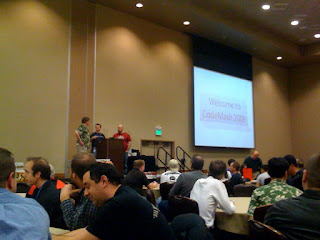
I just got back from CodeMash 2009. This is my third year going there and it keeps getting bigger and better. The quality of speakers is high and so is the quality of attendees. It seemed like no matter who you sat next to at breakfast, lunch or dinner they all had something interesting to say and a wealth of experience to share. Having my family there with me was the icing on the cake. They played in the water park or did some of the Kalahari activities during they day, while I was getting my techie fix and then I joined up with them in the evenings for some fun in the wave pool or a stroll down the lazy river. Hats off to the organizers of this conference. For those of you not familiar with CodeMash, it covers a broad spectrum of programming languages and technologies, and its 'focus' is essentially to diversify. That is, get you out of your comfort zone and learn about what is happening in other tech communities. This year they had sessions covering in one form or another Ruby, Scala, Erlang, C#, F#, Objective-C, Java, Groovy, Python, ActiveScript and PHP! On top of that they had various sessions on improving software development, including sessions on Agile, Lean software development, value stream mapping and Kanban. I highly recommend this conference to any developer. For the low registration fee it is a steal.


Below is a sprint through the sessions I attended this year.

Day 0 - PreCompiler

Groovy and Grails 101 w. Chris Judd and Jim Shingler

This was a good overview session on Groovy and Grails. Groovy in the morning, Grails in the afternoon. Chris did a good job of explaining all the things that suck about Java, by showing a Java class and then piece by piece groovy-tizing it down to less than half of its original size. The last lab of the morning involved writing code to read an RSS feed and write the ids and title of all blog postings to a relational database, then pull it back from the db and spit out as an XML document. We did this in about 40 min, and I have to say that even with all my Java experience I doubt that I would have been able to pull the same off with Java in that amount of time. Reading from an http url, extracting info from an XML document, writing to a database, reading from a database and creating an XML document was all very easy in Groovy and required very few lines of code. Here is the code that did it:

import groovy.sql.Sql


//Read the RSS feed
def feed = new URL("http://stanjonsson.blogspot.com/feeds/posts/default").text


//Create a database instance
def sql = Sql.newInstance(/jdbc:derby:C:\temp\blogs;create=true/, "APP",
"APP", "org.apache.derby.jdbc.EmbeddedDriver")


//Delete table if previously created
try {
sql.execute("drop table blogs")
} catch(Exception e){}


//Create table
sql.execute('''create table blogs (
id varchar(200) not null primary key,
title varchar(500)
)''')


//Parse XML and populate the table
def blogs = sql.dataSet("blogs")
feed = new XmlSlurper().parseText(feed)
feed.entry.each {entry ->
blogs.add( id: entry.id.text(), title: entry.title.text() )
}


//Read from table and create Xml
def writer = new StringWriter()
def builder = new groovy.xml.MarkupBuilder(writer)
builder.setDoubleQuotes(true)
builder.feedlist {
sql.eachRow("select * from blogs") { row ->
feedentry(id:row.id) {
title row.title
}
}
}


//Print out XML, and voilà, done!
println writer.toString()

Pretty easy heh? No try-catch blocks, no headaches around setting up and closing database resources, no InputStreams, no importing an external XML parser. And the code even creates the database and table on the fly!!

For those curious the output from running the above is:

<feedlist>
<feedentry id="tag:blogger.com,1999:blog-2241013152284479770.post-720388331940374029">
<title>No Fluff Just Stuff 2008</title>
</feedentry>
<feedentry id="tag:blogger.com,1999:blog-2241013152284479770.post-1855527957885191012">
<title>Career 2.0</title>
</feedentry>
</feedlist>

Which, hehum, proves that I really need to be more active in my blogging.

During the afternoon session we went over the Grails framework, which is highly reminiscent of Rails. Jim showed us how to quickly put together a web site by defining a couple of domain objects and having Grails do its magic by generating the persintance layer and database tables and a nifty front end for CRUD operations on the domain objects. It looked really nice, but started loosing some of its charm once he started mocking with the view GSPs and we came to realize it effectively made any further auto-generation from the domain objects impossible (or you would overwrite your changes). So the lesson learned is to put detailed thought into designing your domain objects up front and save your self some work by having Grails auto-generate your views, controllers and persistence layer (via GORM, a Groovy object relational mapping implementation on top of Hibernate). But know that once you have put some work into customizing your application any changes to your domain objects means you will need to edit your views, controllers and database mappings by hand.

Here are the slides from the PreCompiler.

Day 1

Introducing iPhone SDK - Chris Adamson

This was a session had been looking forward to a lot. I have been a trusty iPhone 3G owner since it was released last July (I even stood in line before stores opened the day it was released!) and have been eyeing getting into iPhone development. The session provided a good overview of what it takes to get into iPhone development and walked through the implementation of a simple application. Unfortunately the starting cost is somewhat high; get a Mac, learn Objective-C, pay for a development license, deal with Apple's registration process, write your app and wait for up to month to get it approved. Objective-C is a Smalltalk inspired C like language dating back to 1986. I must admit that manual memory management and pointers aren't exactly things I have missed for the past 10 years or so. So delving into Objective-C is something I'd do with some hesitation. Actually, Chris Judd's iPhone with Grails presentation on Day 2 got me thinking I might start by doing an iPhone web application rather than native application.

Slides from the presentation.

Three tips to improve your dev process - Jim Holmes

Former Quick Solutions colleague Jim Holmes had an interesting talk on things we can do to improve our software development processes. He discussed the importance of daily standups and retrospectives, and provided tips to improve estimation. The session was mainly memorable for the somewhat heated discussion that materialized between Jim and a few of his audience members, headed by Mary Poppendieck, who as Jim put it "lead him out on a branch and then proceeded to saw it off".

Slides to be posted at FrazzledDad.com.

Erlang: The Basics - Kevin Smith

Very interesting session and by far the one that made my eyes spin the most. As Kevin put it "Erlang Is Weird". If you can not imagine life without for-loops, while-loops or strings, then Erlang is not for you! I enjoyed getting familiar with the language, but to be honest, don't see myself as a hard core Erlang fanboy anytime soon. But due Erlang's strength in dealing with concurrency I imagine the language will continue to prosper in a world where 256 core CPUs will soon be a reality.
Since there are no loops in Erlang, recursion is the name of the game. Here is a simple Erlang code to print out the contents of a list:

print([H|T]) ->
io:format(“~p~n”, [H]),
print(T);


print([]) ->
ok.

I found it interesting that the language has three (!) line terminators (, ; and .), when most of the new generation languages (Ruby, Python, Groovy, Scala, etc.) have gone the route of dropping terminators.

Slides here.

iPhone development with Grails - Chris Judd

Another session I was looking forward to. Chris walked us through the pros and cons of doing native vs. web application development for the iPhone. The pros of native development being:

  • Access to native features like GPS, accelerometer and camera.

  • Offline access.

  • Performance.

  • The glamour and marketing associated with having your app in the AppStore.


The pros of web app development being:

  • Don't have to learn Objective-C. You can develop with whatever technology you are most comfortable with.

  • Deployment under your control.

  • Don't have to get a development license.

  • Don't have to bury yourself in a mountain of legal agreements.

  • The process is on your timeline and not Apple's


Chris then walked us through developing an iPhone web application using Grails with a custom iPhone plugin that he wrote for the iUI JavaScript framework, which allows you to customize the look and feel of your web app to rival that of a native application.

I have been brewing an idea for an application that I would like to write for my phone. Since the benefits of writing it as a native application are limited and clients will require access to a centralized database, I am making it my mission to write it as a Grails web app in 2009. I even went ahead and registered the domain goodweatherlocator.com just now, which should give you some idea about what I am planning to build.

Slides from the session here.

Sexier Software With Flex - James Ward

This was an overview session on how to build applications using Flex. It showed some pretty sexy Flex applications and then walked us through the creation of a basic Flex app using MXML and ActionScript.

I have never been very interested in RIA development, but figured I would at least dip my toe in the pool.

If you are unfamiliar with Flex, check out the tour at http://flex.org/tour.


Day 2


Practices of an Agile Developer - Venkat Subramaniam

As in his keynote a day earlier Venkat was excellent in this no frills Agile session. He provided many good tips on how to get into Agile and how to practice Agile software development, along with some gold nuggets on how to improve yourself as a software developer:

  • The most important thing in adopting Agile is attitude.

  • Criticize ideas, not people. Take pride in arriving at a solution rather than proving whose idea was best.

  • Learn everything about something and something about everything.

  • It is very hard to learn if don't learn continuously. It is incredibly easy if you do it all the time.

  • Spend 30 min a day reading something unrelated to your current job.

  • Present details and let your customers decide. Developers, managers or business analysts shouldn't make business critical decision - let the business owners make those.

  • Run your unit tests on all platforms you plan to support.

  • Use standup meetings to keep the team on the same page.


No slides, but Practices of an Agile Developer by Venkat and Andy Hunt a recommended reading. A colleague of mine won a copy of it at the closing ceremony and from my 5 min of browsing through it looked very promising.

Cool Stuff With computer Vision - Scott Preston

Scott showed us his robot Feynman and how he sees the world. Apparently robots are really into Jessica Alba because much of the presentation focused on a beach photo of her, seen through various image filters. When he showed us how his bot can discover and zoom in on her breasts, I noticed the lone female in the room moved uncomfortably in her seat.

All in all this was an entertaining session that gets a 10 on the geek scale.

Slides and photos of Jessica's top here.

Spring 3.0 MVC - Ken Sipe

A nice overview of Spring MVC (mainly 2.5 features) and all the benefits it provides over older MVC frameworks like Struts. Takes "convention over configuration" to the max and greatly reduces the amount of Java code needed for a typical Web application. Or as Ken put it, "The next best thing to Grails"!

Slides to be posted here.

Cloud Computing with .Net - Wesley Faler

The last session of the conference. I figured I couldn't go home without seeing at least one .Net related presentation. Wes walked us through the Cloud Computing concept and how it differs from web farms, grids and clusters. The nuts and bolts of it is essentially computing resources on demand. He got me all excited when describing Amazon's EC2 service and the fact that you can use it with numerous different programming languages. But once he gave us some samples of the pricing, my excitement withered away.

Fancy slides here.

This wraps up my CodeMash 2009 experience. As in previous years I had a lot of fun and will definitely be looking to coming back again. From what I've heard CodeMash 2010 will be even bigger and better.

Sunday, July 27, 2008

No Fluff Just Stuff 2008

I just finished attending the 2008 No Fluff Just Stuff conference in Columbus, Ohio. It was a lot of fun, had some informative sessions and as expected these days some pointless fights over language syntax. Here are highlights from some of the sessions I attended.


10 Things an Architect should know
Speaker: Richard Monson-Heafel

This session was a good eye opener for getting your head out of the sand. A one-liner summary would translate to something like: Stop wasting time arguing about implementation details and start focusing on customer needs!
Below is some paraphrasing of the top 6 noteworthy things I got out of Richard's top 10 list.


People are the Platform

User interface is the most important part of your system. The point of IT is to make people more productive not to write beautiful systems. What happens underneath the hood is really not that important, as long as it works. A great UI on top of ugly middleware is much better than bad UI on top of pretty middleware.

All Solutions are Obsolete

When picking technology, pick what works best today, don’t try to predict the future.
For example a couple of years ago a lot of people banked on JSF becoming tomorrows golden standard, and are now suffering (to some extent). You can’t really predict what is going to be the popular in the future. Just pick what works best today and stop worrying about future proofing your system. There is no such thing as future proofing... it is a myth.

Data is forever, everything else can change

IT architecture keeps changing, but the data (often) lasts forever.
With that in mind Richard promoted the use of relational databases, as opposed to object databases or XML databases, which are tied to a specific technology. Likewise Richard took some shots at Rails & Grails, for probably getting things wrong in the long run. Basically stating that we should not have systems be generating our databases. We should build the database first to meet the company needs and then the systems on top of the databases. 5 years from now the database might still be there but everything else has changed.
I can agree with this to some extent, as I have had some bad experiences in the past working with tools that try to autogenerate a database based on some higher level entity. Usually what gets generated is somewhat of a mess and not easily reusable by other systems at a later time. On the flipside though, the productivity gains of newer development frameworks make them hard pass on. We just need to be mindful of taming them to some extent to generate maintainable databases.

Flexibility Breeds Complexity

Simplicity can create flexibility, but flexibility will always create complexity.
When designing a system always err towards simplicity.
Building a simple system and adding features to it later probably costs you less in the long run than building a super flexible system upfront to handle all possible future changes.

Know The Business

As a software architect you are in the tough position of having to be an expert on all things related to the technology of the company, but just as importantly you need to know and understand the business of the company you work for. You need to know the business as well as the business people! Remember, it is your job to make the business people more productive. If you don't understand what they do, then how can you help them?

Software Architects Should also be Coders

Get out of your ivory tower and into the trenches. Bits talk, Bulshit walks.
Every architect should spend at least 10% of their time doing code reviews with the engineers building their product. That’s how you see what is working well and what is giving people headache. Pull up a chair and sit next to a developer for an hour. In addition to getting a better feel for what the developer is dealing with you'll be surprised at how hard he/she will work during that hour! :)


So You Have Been Promoted to Tech Lead. What do you Do.

Speaker: Mark Johnson

This session brought up some useful points for us Tech Leads to think about.
A few of them were:
  • Requirements Acceptance Criteria
    • 66% of requirements have no business value
    • When you are on a project that gets flooded with new requirements, try to put each one of through the following pick list:

      Any requirement that ends up in the "Kill" category you should bring back to the business (or product owner) and explain your case for getting that requirement dropped. On the flip side be more open to requirements that have high business value but low complexity, risk and cost. If you can get some of those in, in favor of throwing out a couple of "killers" you might make your project more likely to succeed, even though business people keep wanting to change things on you. Also, don't just automatically say no to every new request (over defend you project). Evaluate it via the above pick list and try to work out what is in the best interest of everyone involved.
  • Delegate
    (This might have been the hardest thing for me to learn when I stared doing tech lead work)
    • Stop playing superman! Don't assign all the hardest tasks to yourself. You won't have time to implement them properly. Trust your developers and they will usually reward you.
    • Don't go to every meeting! In most meetings nothing noteworthy happens. Delegate attending some meetings to your teammates.
  • Once you come up with a plan, share it with everyone
    • Make sure you have peoples buy in to what you are planning to do. If you run into trouble later people will be much more willing to help you out if you included them from the beginning.

Getting Started with BPEL

Speaker: Mark Johnson


I have to admit that this session sent a few gusts of cold shivers down my spine. I did not know much about BPEL and was kind of curious to see what the fuss was about. After doing some preaching about BPEL being XML driven and one of its design goals being "Not to define a graphical representation of processes", a few slides into the presentation Mark brought up the NetBeans BPEL IDE. To my shock I found myself staring at something that looked an awful lot like a WLI JPD (WebLogic Integaration Java Process Definition)! It tied together several web services in an elegant looking flow diagram, with forks and splits and what have you. Even some visual transformations of data from one web service passed to another. Now, for anyone not familiar with the JPD technology, it tries to do pretty much the same thing, basically tie together multiple service calls and transformations in a nice looking flow diagram. On the surface it sounds great, but my actual experience in dealing with the JPD technology has brought about multiple frustrations:
  • The flow through your JPD is written in a custom XML language which ties back to autogenerated Java code that programmers are discouraged to change
  • It breaks many key OO concepts such as
    • No encapsulation (everything that holds data is a public global variable in the JPD class),
    • No inheritance. Two JPDs for similar services are pretty much a copy-paste of eachother.
    • One business method per JPD. There is only one entry point into your typical JPD.
  • Some of the JPD UI language concepts don't work as expected
    • For example the JPD Parallel node, which is meant to call multiple services in parallel and then wait for all to finish before proceeding onto the next node in your flow. After some hair pulling I discovered that actually doing things in sequence rather than parallel resulted in much faster code! The parallel node ends up spawning a new thread for each service call, which can be very taxing on your app server resources.
  • When writing JPDs, a lot of time is spent trying to figure out how to get something working, as opposite to focusing on writing business logic.
  • You never really know what is going on underneath the hood.
    • WebLogic claims that you don't need to know anything about how the JPDs are implemented. But in actuality you will run into problems that require you to understand what is really going on when your JPD is being executed (like with the parallel processing nodes) . Over time you will come to realize that underneath all the glory you have a ton of autogenerated EJBs and JMS messages hard at work, but little documentation on what is really taking place.
  • Most JPDs are hard to read, even for developers!
    • The idea of JPD being a great tool for you to communicate your process to business people was not my experience during the couple of years I used the technology. Most of our JPDs ended up being complicated and convoluted, and we found ourselves using sequence diagrams as a more useful tool to communicate design to our business analysts. Over time we learned to simplify our JPDs, but even so I never saw them being used much when communicating with the business.
Now I am not saying that BPEL necessarily suffers from the above problems. It might have an awesome implementation and myriad documentation. I have no idea. But when I asked Mark point blank if his developers enjoyed developing in BPEL and whether they had any complaints, and he ended up admitting that most of them preferred pure Java, I got my answer.

At the end of the day I decided to apply a duck typing analogy on BPEL. If it acts like a JPD and quacks like a JPD, then it must be a JPD! :-) I hope I will not have to deal with this technology in the future.
